 English
 Deutsch
All chapters
AI moderator
Scam, spam & insults
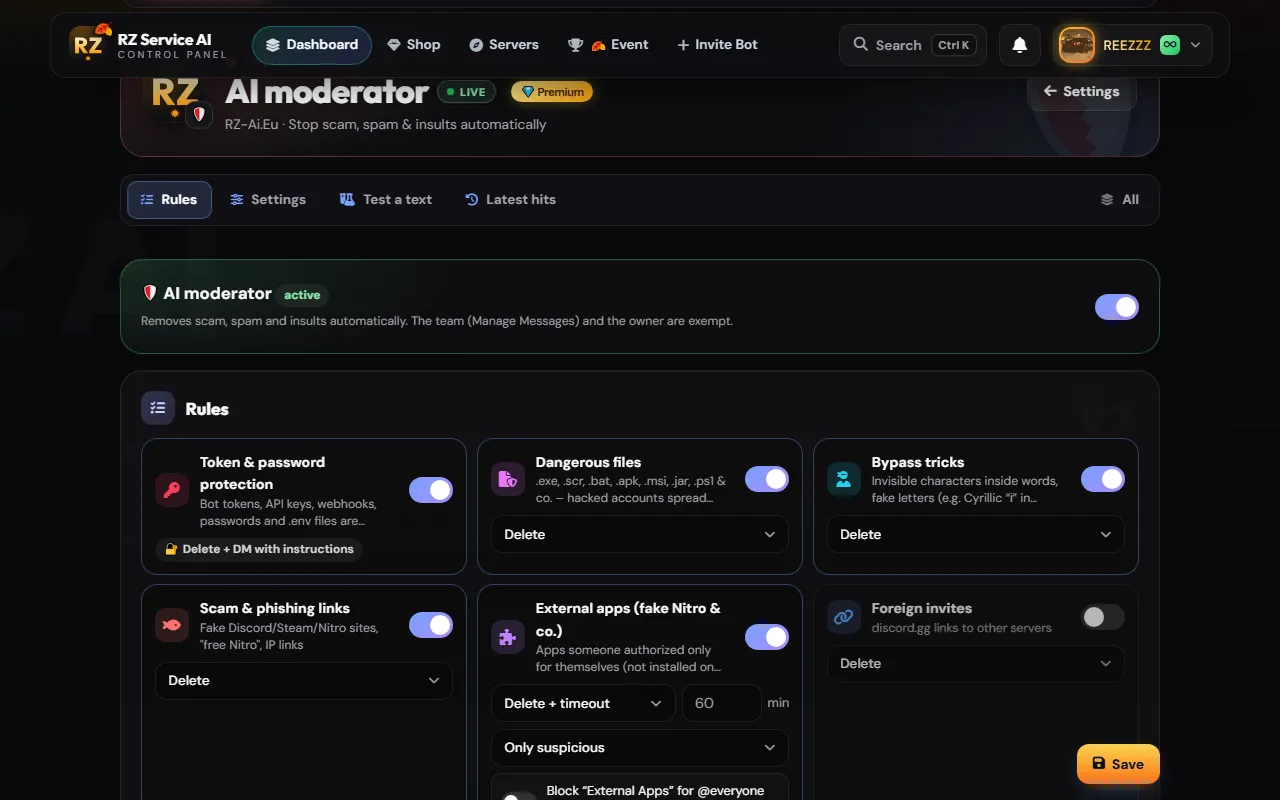
The AI moderator detects scams, spam, insults and hacked accounts and cleans up instantly.
How to
- Open AI moderator and turn it on.
- Pick what to detect (e.g. scam links, spam, insults, tokens & passwords, dangerous files).
- Choose what happens: delete, warn, timeout or kick.
- Pick a log channel so your team sees what the moderator did.
- Exclude team roles or channels that should not be moderated.
Tips
Start with "delete + warn" and tighten it later.
Under Members you see all warnings of a person.