 English
 Deutsch
All chapters
Levels
XP, level roles & leaderboard
Members earn XP for chatting and voice, level up and automatically get level roles – free and unlimited.
How to
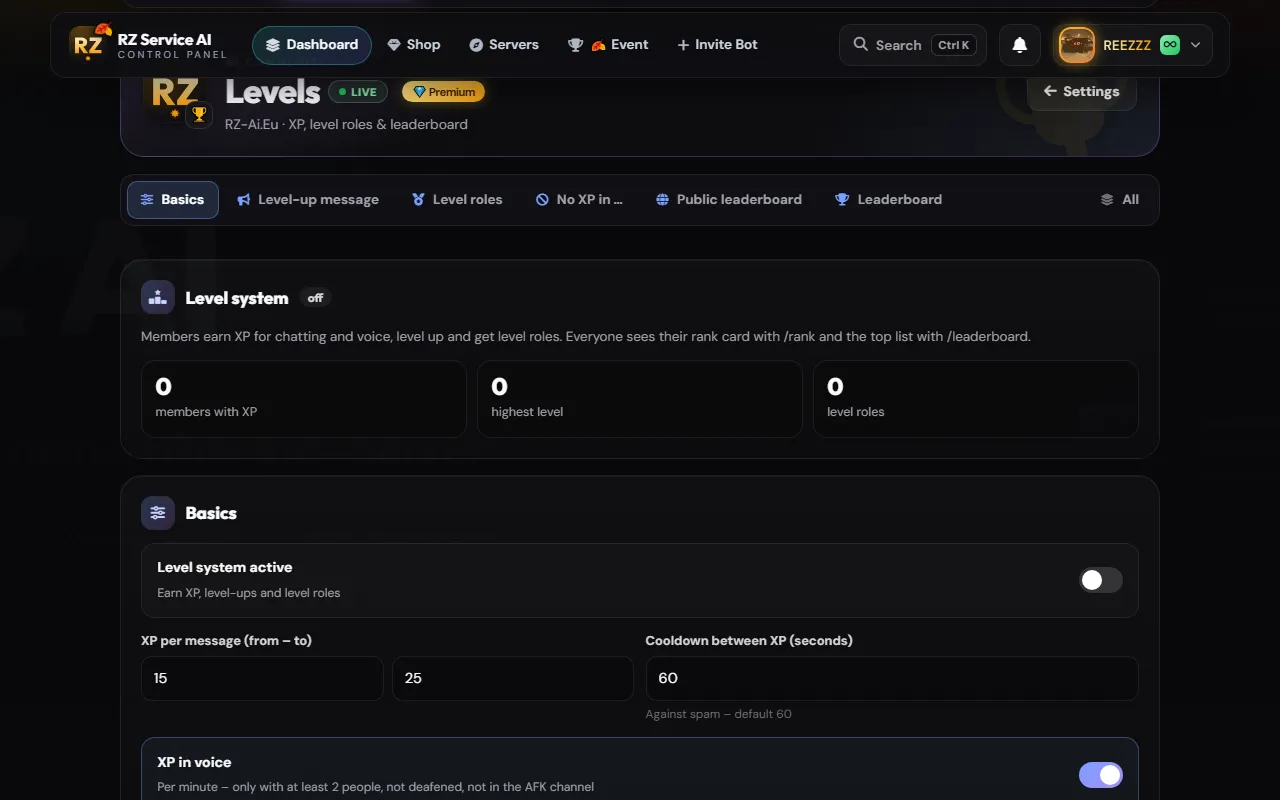
- Open Levels and turn the level system on.
- Set how much XP there is per message and per minute in voice.
- Choose where the level-up message appears – in the same channel, a fixed channel, via DM or not at all.
- Add level roles, e.g. level 5 → @Active, level 20 → @Regular.
- Exclude channels or roles that should not give XP – e.g. spam or bot channels.
Tips
With /rank everyone sees their rank card, with /leaderboard the top 10.
The public leaderboard is at rz-ai.eu/leaderboard/<server ID> – great for sharing.